

TDS compliance for startups (2026): deposits, returns & the 31 May trap
TL;DR: If your business pays salaries, contractors, rent, or professional fees, you probably deduct TDS (Tax Deducted at Source). You must deposit it by the 7th of the next month (March's is due 30 April), and file quarterly returns — 24Q for salary, 26Q for everything else — by month-end after each quarter, except Q4 which is due 31 May. Miss a return and it's ₹200/day under Section 234E. Here's the whole thing in plain English.
What is TDS, and when do you have to deduct it?
TDS means you withhold a slice of certain payments and deposit it with the government on the payee's behalf. Common triggers for a startup:
| Payment | Section | Typical rate |
|---|---|---|
| Salary | 192 | As per employee's slab |
| Contractor / job work | 194C | 1% (individual) / 2% (company) |
| Professional or technical fees | 194J | 10% |
| Rent (over threshold) | 194I | 10% (land/building) |
| Commission / brokerage | 194H | 2% |
If you deduct TDS, you also need a TAN (Tax Deduction Account Number) — separate from your PAN.
The two things you must do every month/quarter
TDS is really two obligations, and founders confuse them:
- Deposit (monthly) — pay the tax you deducted to the government.
- Return (quarterly) — file a statement telling the government whose tax it was.
You must do both. Depositing on time but never filing the return still triggers late fees.
1. Depositing TDS — the 7th rule
| TDS deducted in | Deposit by |
|---|---|
| April → February | 7th of the next month |
| March | 30 April (the exception) |
Pay via the Income Tax portal → e-Pay Tax → the relevant challan. Save the challan (CIN/BSR) — you'll need it in the return.
2. Filing TDS returns — and the 31 May trap
| Quarter | Period | Return due |
|---|---|---|
| Q1 | Apr–Jun | 31 July |
| Q2 | Jul–Sep | 31 October |
| Q3 | Oct–Dec | 31 January |
| Q4 | Jan–Mar | 31 May |
⚠️ The 31 May trap: Every other quarter's return is due at the end of the month following the quarter. But Q4 is due 31 May, not 30 April. Teams that pattern-match "month-end after the quarter" file Q4 wrong every single year. A good tracker applies this shift automatically.
- 24Q = the return for salary TDS (Section 192).
- 26Q = the return for non-salary TDS (194C, 194J, 194I, etc.).
Form 16 and Form 16A
After filing your Q4 24Q, you must issue Form 16 (the salary TDS certificate) to every employee by 15 June. For non-salary deductions, Form 16A goes to vendors quarterly. Employees can't file their income tax returns cleanly without Form 16 — so this one affects your whole team.
Penalties — small numbers that compound
- Late deposit: interest at 1%/month (not deducted) or 1.5%/month (deducted but not paid).
- Late return: ₹200/day under Section 234E until filed (capped at the TDS amount).
- Failure to deduct: the expense can be disallowed (30%) when computing your income tax — an indirect but painful hit.
None of these are huge alone. But a startup deducting TDS across salary + 3 contractors, filing two returns a quarter, will miss one eventually — and the fees stack.
How Smart Dhandha automates TDS tracking
Smart Dhandha won't wire the money for you (you deposit via your bank/portal), but it makes sure nothing is missed and everything is on time:
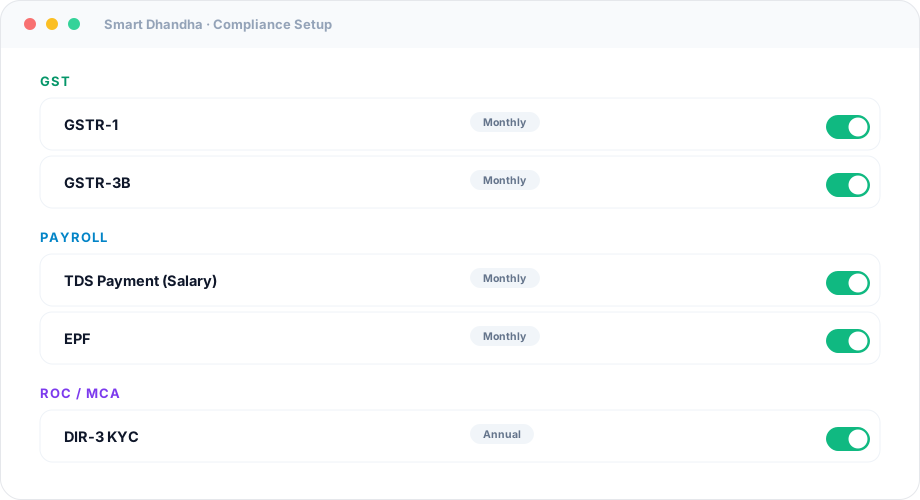
1. It knows your TDS obligations from your profile. Have employees? Salary TDS (192) and 24Q appear. Pay vendors? 26Q appears. You don't configure a calendar — it's derived from how your business actually operates.
2. Correct dates, including Q4. The monthly deposit (7th), the quarterly returns, and the Q4 = 31 May shift are all computed for you — no manual date math.
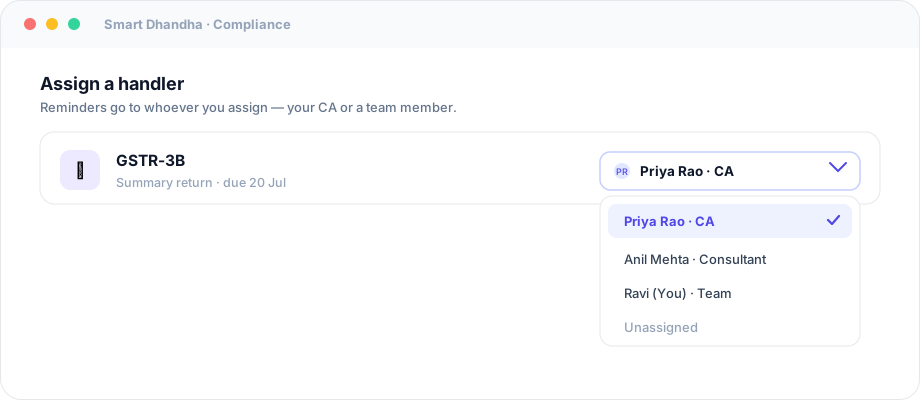
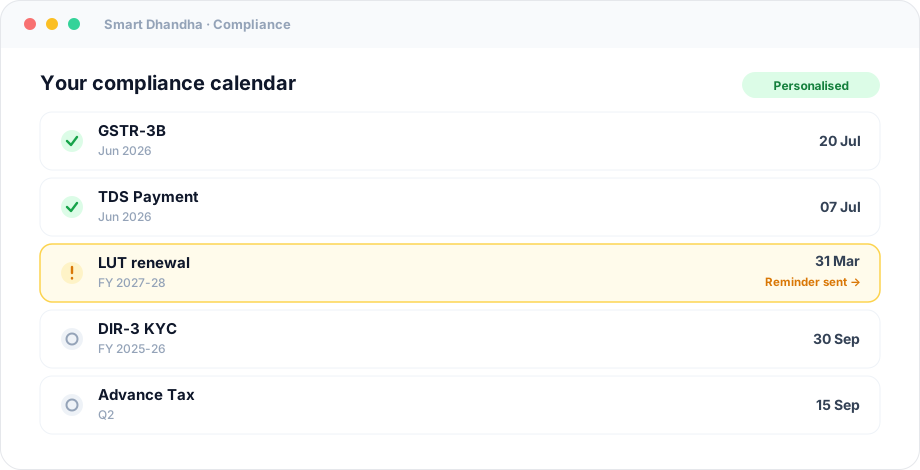 3. Reminders to you and your CA. Each TDS deposit and return carries reminders (e.g. 15/7/3/1 days out) sent to whoever you assign — your accountant, your ops lead, or you.
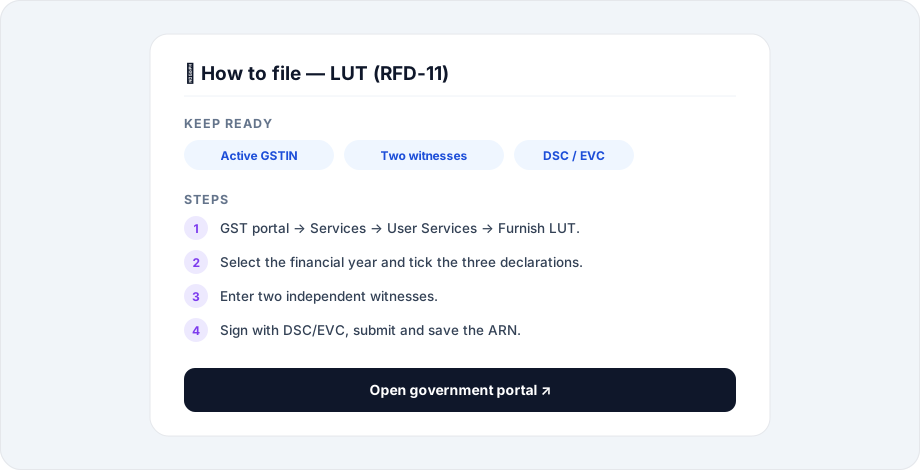
 4. A step-by-step guide for each. Open the guide on "TDS Payment (Salary)" and you get exactly how to pay the challan and what to keep ready, with a link to the portal.
 5. Proof tracking. Record the challan/acknowledgement number against each filing, so at year-end (and audit) your whole TDS trail is in one place instead of scattered across emails.
Frequently asked questions
When do I have to deposit TDS?
By the 7th of the following month for April to February. TDS deducted in March is due by 30 April.
When are TDS returns due?
Quarterly: 31 July, 31 October, 31 January, and — for Q4 (Jan–Mar) — 31 May.
What's the difference between 24Q and 26Q?
24Q is the quarterly return for salary TDS. 26Q is for non-salary TDS — contractors, professional fees, rent, commission, and so on.
What's the penalty for a late TDS return?
₹200 per day under Section 234E until you file, capped at the TDS amount, plus interest on any late deposit.
Do I need a TAN for TDS?
Yes. You must obtain a TAN to deduct and deposit TDS; your PAN alone isn't enough.
Can software file my TDS return automatically?
Smart Dhandha tracks the deadlines, reminds you, and gives you the filing checklist and proof storage. The return itself is filed on the government/TRACES utility (often by your CA) — but you'll never miss the date or lose the challan.
Never miss a TDS date again
TDS is death by a thousand small dates. The fix isn't discipline — it's a system that knows your obligations and reminds the right person.
Track your TDS, GST and ROC deadlines in one place → — see the full FY 2026-27 compliance calendar.
General information as of July 2026; TDS rates and thresholds change with the Finance Act — confirm with your CA or the Income Tax portal. Sources: Income Tax Department, ClearTax — TDS.